
Help & FAQ
Knowledge base.
Installation, configuration, hardware, displaying sources: answers to the most common questions. And if you can't find it, we pick up the phone.
Customers under contract
Your support space, in full transparency.
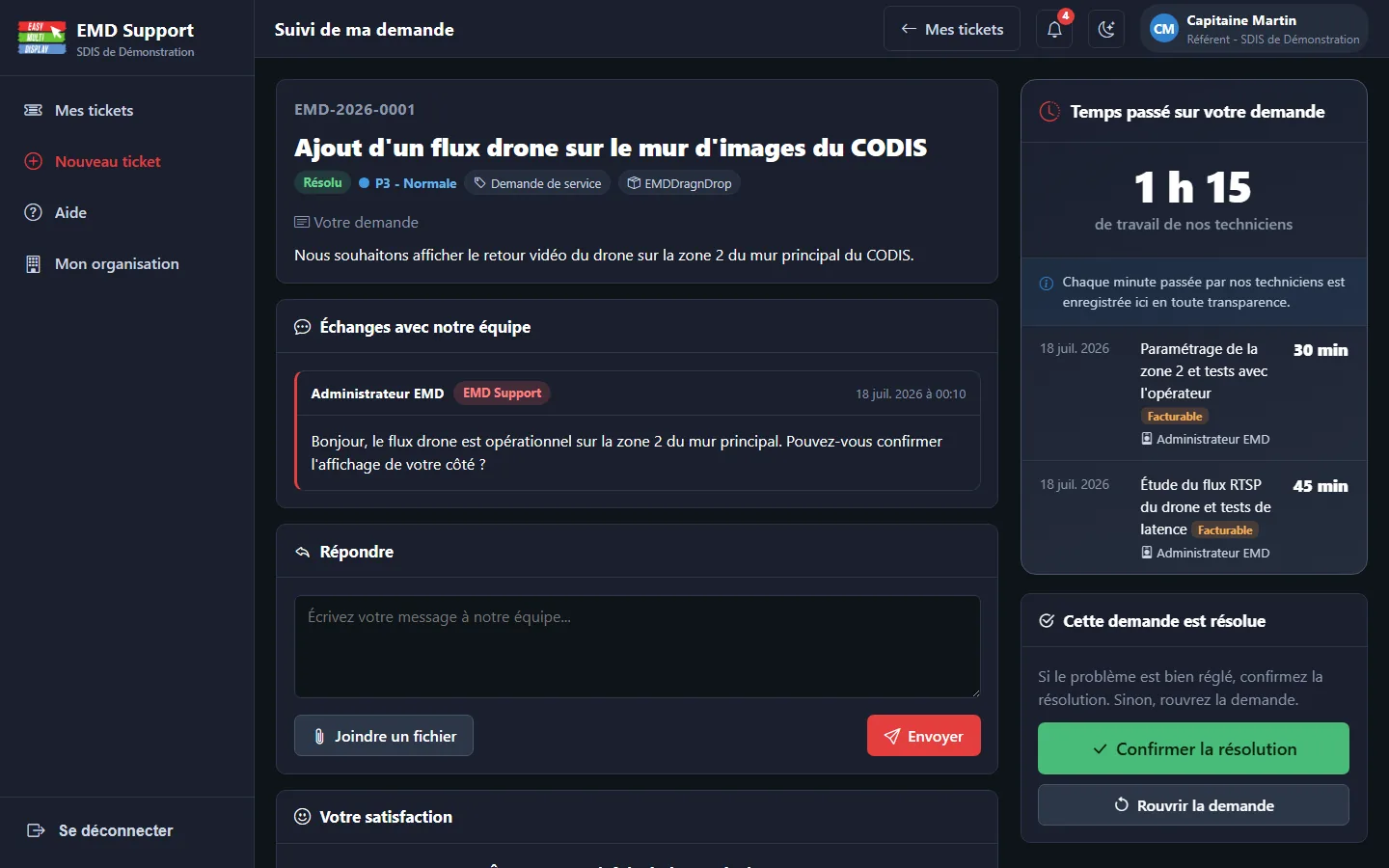
Customers with a support contract get a dedicated portal: open your requests, follow them, and see the time our technicians actually spend on each ticket - every minute is recorded and shown to you.
- Working time visible, minute by minute
- Direct contact with the team that builds the software
- You are the one who signs off the closure of each request
- User guides for each module, built into the portal
- A separate space for each organisation (SDIS, SAMU, company)

Arrange and align your screens in Windows for a reliable video wall
Step-by-step guide to arrange and align your screens in Windows to build a reliable video wall with Easy Multi Display.
GeneralCan I use a laptop?
Easy Multi Display compatibility with laptops, and solutions for adding screens via USB3.
Drag & DropDisplay problem when you change the resolution between your configurations
Fix display problems caused by a resolution change between your configurations: position your screens correctly in Easy Multi Display.
Drag & DropDoes Easy Multi Display work without an Internet connection?
Learn how to use Easy Multi Display offline: files, folders, software and local videos all work without Internet once your license is activated.
GeneralEasy Multi Display User Guide (version 2)
Download the Easy Multi Display user guide version 2: 75 pages of installation help, FAQ and tutorials, available offline in several languages.
Drag & DropEMD can't write the config file: what to do?
Easy Multi Display shows a config file write error? Fix the installation folder permissions in a few clicks to get everything working again.
Drag & DropEMD keyboard shortcuts
List of Easy Multi Display keyboard shortcuts to start and stop the software quickly.
GeneralHow can you turn any surface into a touch screen?
Add touch to your screens and video walls with an infrared frame: simple, fast and affordable to modernise your command room.
Drag & DropHow do I display promotions and advertisements?
Broadcast your promotions on your video walls with Easy Multi Display: Google Slides, web pages, images, videos and YouTube, updated in real time.
Drag & DropHow to broadcast DTT (television) from a DTT tuner with EMD?
Broadcast DTT channels on your video wall with EMD: scan channels via a USB tuner, create the playlist and broadcast.
Drag & DropHow to broadcast on 6 screens with a control screen?
Broadcast media or URLs on 6 screens plus a control screen from a single PC with Easy Multi Display, up to 9 screens in the Enterprise edition.
Drag & DropHow to broadcast on multiple screens using the existing RJ45 network?
Broadcast your video sources on multiple screens by reusing the RJ45 Ethernet network already in place, thanks to reliable and affordable HDMI to RJ45 converters.
GeneralHow to build a sturdy, pivoting custom-made desk for 39 euros?
Step-by-step guide to build a mobile, solid command desk for 39 euros: materials, cuts and assembly within everyone's reach.
Drag & DropHow to change the ratio of your videos
Easily adjust the display ratio of your videos in Easy Multi Display in just a few steps.
Drag & DropHow to configure Easy Multi Display
Step-by-step setup wizard to define your displays, your zones and their content in Easy Multi Display.
Remote controlHow to Control Easy Multi Display With a Stream Deck?
Turn an Elgato Stream Deck into a remote control for Easy Multi Display: profile installation, setup and keyboard-free operation.
Drag & DropHow to control the video wall from a networked PC?
Set up remote control of an Easy Multi Display video wall from a control PC connected over the network: folder sharing, UDP port and IP address.
Drag & DropHow to display a drone's video in Easy Multi Display?
Display a FPV drone's video feed in real time in Easy Multi Display thanks to a simple USB WiFi receiver automatically recognised as a webcam.
Drag & DropHow to display a Google Slides, Docs and Sheets presentation?
Display your Google Slides, Docs and Sheets on your video wall with Easy Multi Display: automatic updates, URL rotation and audio/video integration.
Drag & DropHow to display air traffic information?
Display live flight tracking, arrivals and departures for an airport in real time on your video wall with Easy Multi Display, in just a few clicks.
Drag & DropHow to display free texts
Display custom text messages on one or several screens simultaneously with Easy Multi Display.
Drag & DropHow to Display Road Traffic Information?
Display real-time road traffic on one or more screens with Easy Multi Display using Google Maps and its live traffic layer.
Drag & DropHow to display several videos one after the other?
Play a sequence of videos automatically and on a loop on your video wall with Easy Multi Display: from a local folder or from YouTube, Vimeo and Dailymotion.
Drag & DropHow to display the same image across several shops?
Automatically broadcast the same image across several sites using a shared cloud folder (OneDrive, Google Drive, Dropbox) and an identical file name.
Drag & DropHow to display TV channels
Display TV channels in Easy Multi Display using your internet box playlist or YouTube live streams.
Drag & DropHow to display your city's weather on a video wall?
Show real-time weather on your video wall with Easy Multi Display: ready-to-use settings for MSN, Google, La Chaine Meteo and Ventusky.
Drag & DropHow to Display Your Excel Files
Display your Excel tables and spreadsheets on your video wall with Easy Multi Display, in Software mode or through the online version of Excel.
Drag & DropHow to display your PowerPoint files
Why and how to convert your PowerPoint presentations into video for optimal display in Easy Multi Display.
Drag & DropHow to display your social networks on multiple screens?
Display Facebook, Instagram, LinkedIn or Twitter across multiple screens with Easy Multi Display: zoom and position settings for a crisp image wall.
Drag & DropHow to display YouTube, Vimeo and Dailymotion videos
Add YouTube, Vimeo and Dailymotion videos to Easy Multi Display via the Streaming or Media menu.
Drag & DropHow to download the free trial
Three steps to download the Easy Multi Display free trial at no cost.
Drag & DropHow to fix a YouTube stream that no longer works?
YouTube no longer displays in Easy Multi Display? Replace the VLC youtube.luac file to restore playback, or use an alternative source.
Remote controlHow to get the video stream from your display?
Broadcast and retrieve the video stream from your Easy Multi Display video wall over a local network or via the Internet, using UDP streaming and Media Player Classic.
Drag & DropHow to install Easy Multi Display
Step-by-step procedure to install the Easy Multi Display software and VLC Media Player on Windows.
Drag & DropHow to limit the software functions in guest mode?
Restrict Drag & Drop functions for safer shared use: hide the settings, lock resizing and fix the position via ConfigEMD.xml.
Drag & DropHow to manage another PC and its screens with Easy Network?
Discover Easy Multi Display's Easy Network feature: control another PC and up to 6 screens from your workstation, over your local network, in 3 clicks.
Drag & DropHow to Properly Position Your Screens?
Guide to correctly aligning and ordering your screens in Windows before using the Easy Multi Display video wall, with the settings you must follow.
Drag & DropHow to remove the Google toolbar from Google Slides?
Remove the Google control panel (toolbar) that appears at the bottom of your Google Slides on your Easy Multi Display video wall, in just a few seconds.
Drag & DropHow to retrieve an external video and audio stream (HDMI, VGA, RCA, SCART)?
Display an external HDMI, VGA, RCA or SCART source on your video wall using a capture card and the Capture feature of Easy Multi Display.
Drag & DropHow to scroll a web page vertically and automatically?
Set up automatic vertical scrolling of a web page on your Easy Multi Display video wall, adjust the zoom and fit the display to your screen resolution.
Drag & DropHow to set up the Elgato Cam Link Pro capture card?
Setup guide for the Elgato Cam Link Pro capture card with Easy Multi Display: hardware requirements, HDMI connection and video settings.
Drag & DropHow to use 2 screens on Windows 10
Hardware requirements and steps to display content on two screens with Easy Multi Display on Windows 10.
Remote controlHow to use our remote control
Switch your displays easily with the Easy Multi Display remote control or numeric keypad.
Remote controlHow to use the software remote control (EMDRC) keyboard shortcuts and configure a Stream Deck?
Guide to EMDRC keyboard shortcuts for driving your video walls: scenarios, messages, sequences, HDMI captures and Stream Deck configuration.
Drag & DropIs a mini PC required with the OneScreen license?
Do you need a mini PC to use Easy Multi Display with the OneScreen license? No, your own computer is enough if it is powerful enough and has an HDMI or DVI output.
GeneralIs Easy Multi Display a virus?
No, Easy Multi Display is not a virus. Here we explain antivirus false positives and the independent checks carried out.
GeneralIs the licence for life or for a limited time?
Easy Multi Display runs on a lifetime licence, with no subscription: a single payment, free updates for the first year, then optional upgrades.
Drag & DropMisaligned screens on your video wall: check the layout in Windows display settings
Align and order your displays correctly in Windows for a perfect video wall with Easy Multi Display: display settings, resolution and graphics card.
GeneralSystem requirements
Minimum, recommended and advanced hardware configurations to run Easy Multi Display according to the number of screens.
Drag & DropThe display won't start: how to fix it?
Your Easy Multi Display video wall refuses to start? Reset the EMD configuration in 3 simple steps to get your display running again.
Remote controlThe keyboard sometimes stops responding with the remote control: what to do?
Does the keyboard freeze for a few seconds after a mouse click on the EMD remote control? Here are three simple ways to control your displays without interruption.
Drag & DropUpdate the same image across several stores in one go
Show an identical image on the screens of multiple locations and update it everywhere in a single move thanks to synchronized cloud folders.
Drag & DropWeb pages the wrong size or position on the video wall?
Are your internet pages displaying badly, offset or too large in Easy Multi Display? Set the Windows scaling to 100% for a sharp and correctly positioned display.
Drag & DropWhat are the default login and password?
Easy Multi Display's default login and password, plus an overview of multi-user management.
GeneralWhat are the main security risks of the cloud?
The major security risks of cloud computing for your screens and data: breaches, hacking, data loss. Why Easy Multi Display runs locally.
GeneralWhat is the maintenance agreement and how much does it cost?
The Easy Multi Display maintenance agreement costs 20% of the software price per year and gives access to all new features. Here is how it works.
Drag & DropWhat is the Planning option for?
Discover the Planning option in Easy Multi Display to schedule your content display in advance, by days and time slots, with no manual intervention.
GeneralWhat kind of TV should you use with EMD?
The questions to ask yourself and the recommended brands for choosing the right screens with Easy Multi Display.
Drag & DropWhere to find royalty-free images and videos?
Discover the best royalty-free image and video websites to display for free on your Easy Multi Display video walls.
GeneralWhich graphics card for EMD?
Recommended graphics cards, resolutions by output type and professional configurations for Easy Multi Display.
GeneralWhich PC hardware for your screen walls?
An example of a complete, costed PC configuration to drive up to 12 screens with Easy Multi Display.
Drag & DropWhich Tools Should You Use With Your Video Wall?
Our selection of free and professional software and websites to prepare and broadcast your content on a video wall with Easy Multi Display.
Drag & DropWhy is my media displayed pixelated?
A pixelated media on your video wall comes from a resolution that is too low. Learn how to match the image to the resolution of your screens.