
Product
EMDScreens gets a makeover: configure 16 screens without the Windows torture
EMDScreens has been with us for many years - it was high time we gave it a facelift.
Because, let’s be honest: spending 20 minutes trying to align two screens with a mouse in the Windows settings is a form of torture we wanted to abolish. So we rethought the experience for integrators and technicians.

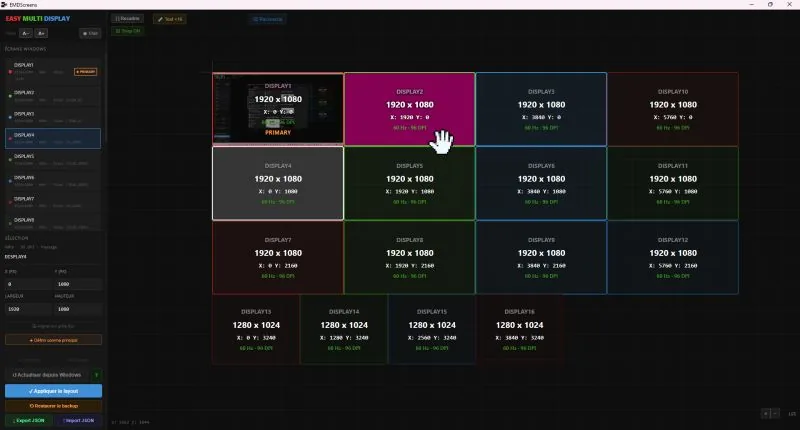
More than a simple visual refresh, this new version of Easy Multi Display Screens was designed to meet real-world demands: configuring complex screen walls - up to 16 monitors - without the frustration of Windows’ native settings.
What’s new?
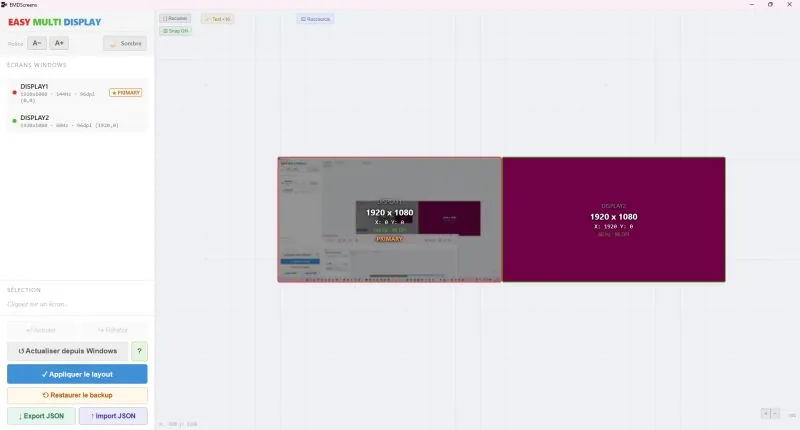
- A more intuitive interface: an interactive canvas with live thumbnails refreshed every 5 seconds. You can finally see what you’re moving!
- More precise layout: numeric input (X, Y, width, height) and drag-and-drop work side by side. Type in your coordinates and the result adjusts instantly on the plan - no more tweaking blind.
- Smart snapping: no more stray pixels. Screens snap together edge to edge automatically, while respecting Windows topology rules.
- Agile deployment: export your configuration as JSON and replicate it across every PC in your control room in one click.
- Maximum safety: a 5-step validation chain (automatic backup, driver test, 15-second countdown) so you never lose your display after a wrong move.
Whether you are installing a command room or a complex display wall, EMDScreens turns a technical chore into a mere formality. Find it among our free tools.